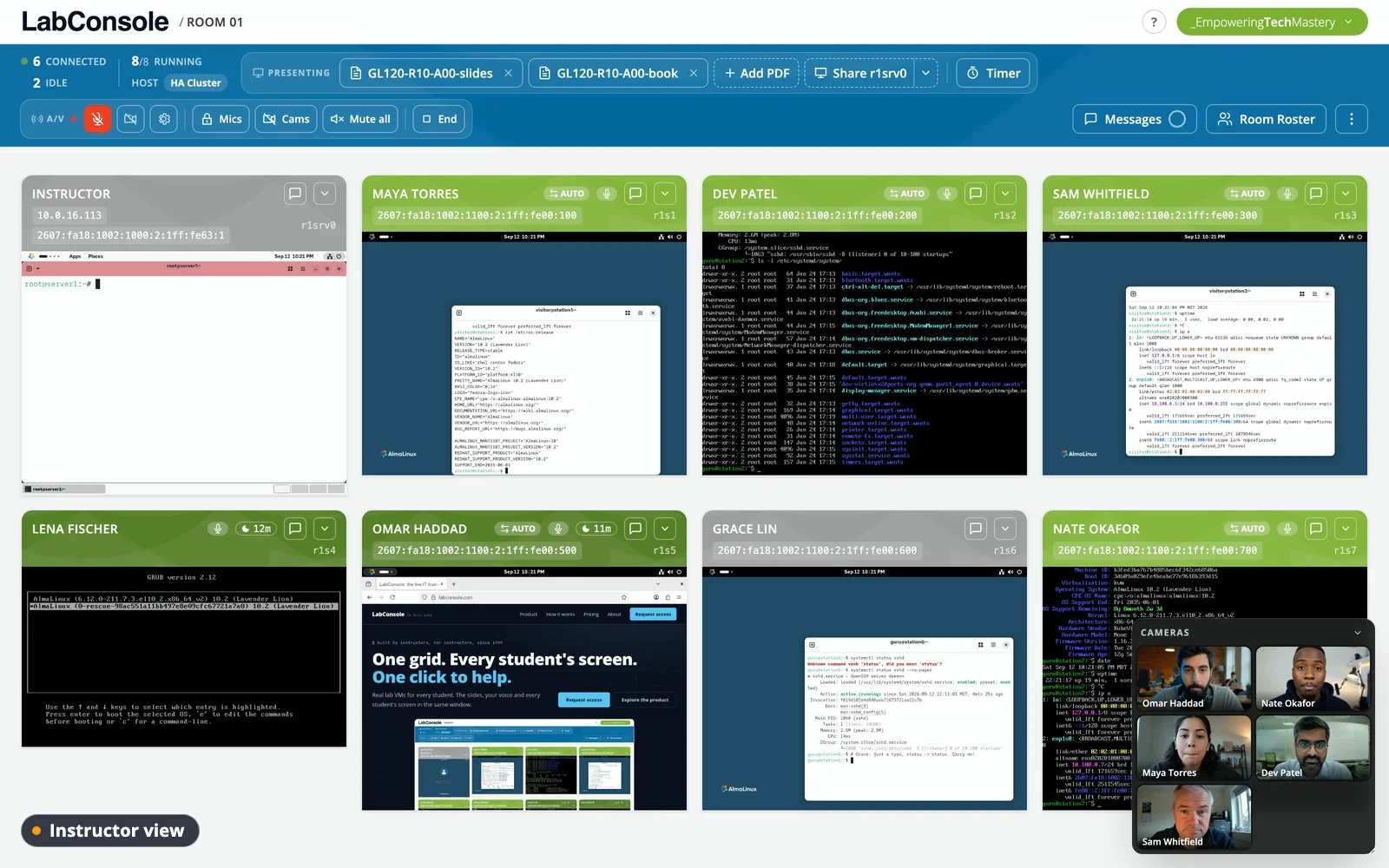
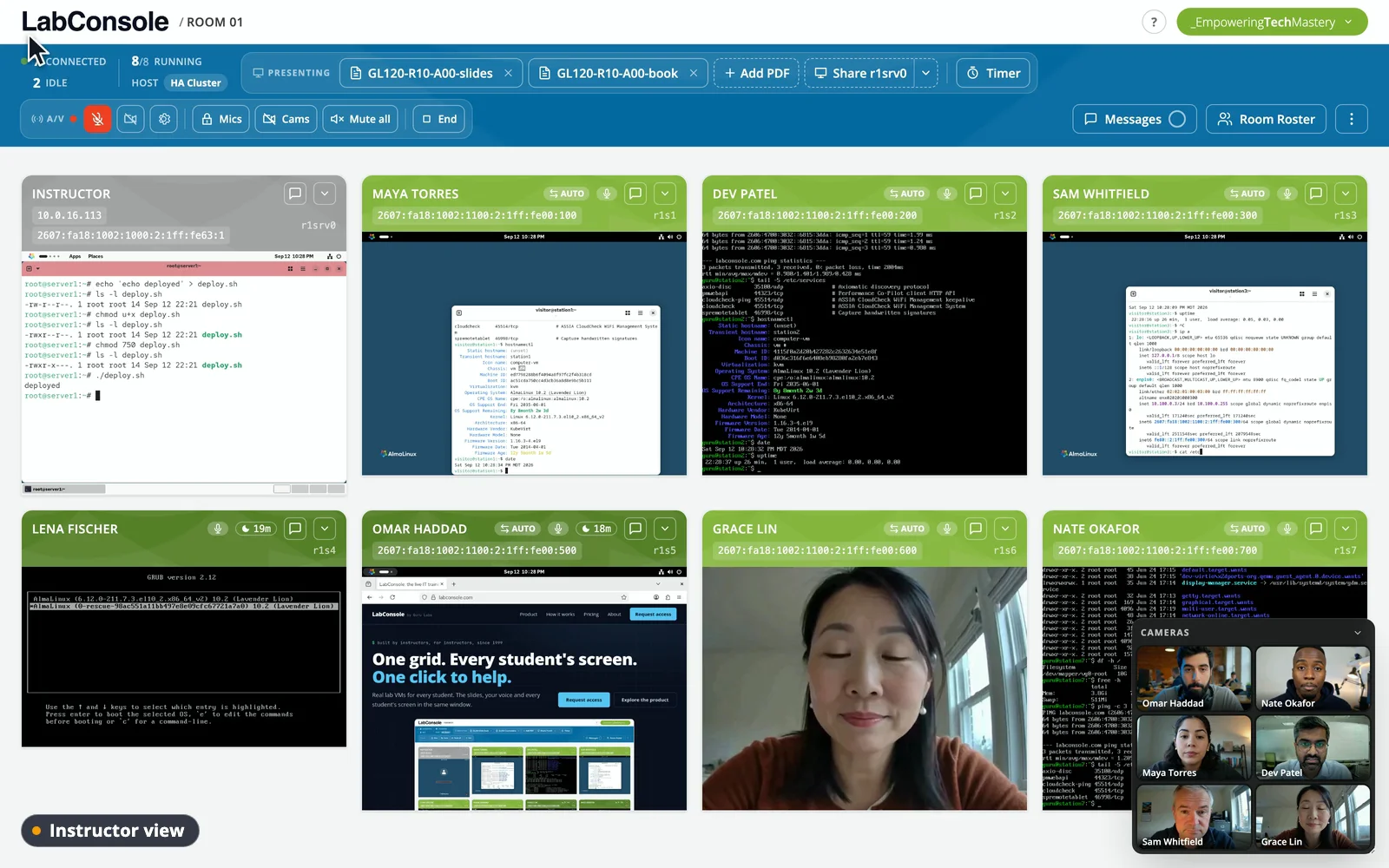
labconsole present --deck GL120.pdf

Teach in the same window as the labs

The lecture half of a technical class should not live in a different product than the hands-on half. LabConsole's classroom puts presentation, voice, video, timers, and chat where the labs already are.

page 42 --with-pointer

Presentation that stays in sync

Upload your PDF deck and present it synchronized to every student - the page you are on is the page they see, with your laser pointer live on top of it. No projector emulation, no "which slide are we on?".

  • Synchronized PDF slides with a live laser pointer
  • Students can review earlier pages, then snap back to you
  • Share any lab machine's screen to the class, read-only

labconsole media --start audio,camera

Built-in voice and video

Instructor audio and camera video are part of the classroom, not a parallel meeting. Students hear you next to the material and the labs - one window, one URL, nothing else to join.

  • Instructor-started audio and camera video
  • Media locks and mute controls stay with the instructor
  • No separate meeting links, ever

sleep 900 && wall "time"

Pace the class, read the room

Start a countdown when you send the class into a lab; every student sees the clock. While they work, the grid shows you real progress and the feedback channel tells you how the pace feels - so the decision to move on is informed, not hopeful.

  • Countdown timers for labs and breaks
  • Live pace and confusion feedback from students
  • Class-wide and private chat, always available

a-typical-hour.logactive (running)

09:00 present deck pages 40-52, pointer on

09:25 lab 4 starts, 25:00 on the clock

09:31 stu07 stalled on step 2 - assist, fixed

09:48 pace feedback: 2x "need more time"

09:53 timer +5:00, share stu03's screen as the walkthrough

10:00 back to the deck, page 53

$ labconsole classroom --pilot

Retire the second app

Bring a real deck and a real lab to a guided pilot and teach an hour the integrated way.