labconsole grid --watch
The over-the-shoulder advantage, online
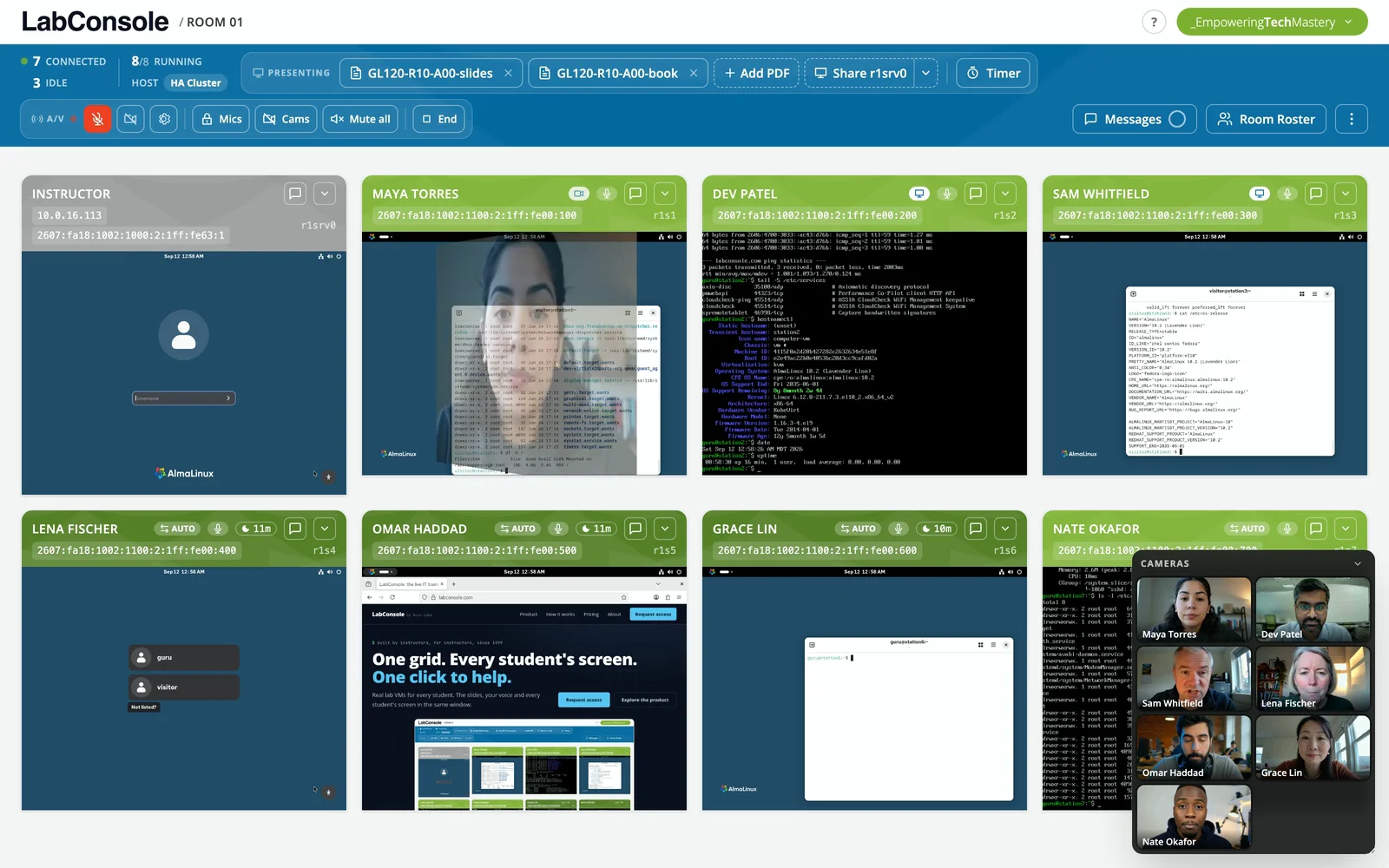
In a physical classroom you glance across the room and know exactly how the class is doing. The instructor grid gives you that glance back: every student's live screen, one wall, all the time.
whoami --stuck
Spot trouble before it becomes a lost hour
Stuck students rarely speak up. On the grid you notice them anyway: the terminal that stopped moving, the error output two exercises back, the login screen that never got past. You intervene while it is still a thirty-second fix.
- Live thumbnails of every student machine, always on
- Presence cues show who is connected and active
- Click any tile to zoom into that student's full screen
labconsole assist stu03
Assist means hands on their machine
Click a tile and you have that student's keyboard and mouse on their actual machine. Fixing the typo in their config file takes ten seconds, they watch it happen, and nobody had to find the share button. Close the console and you are back on the grid.
- Your keyboard and mouse on the student's VM, with the student watching
- One click in from the grid, one click back
- Works on every machine in every student's lab
wall "5 minutes left on lab 4"
Run the room from the grid
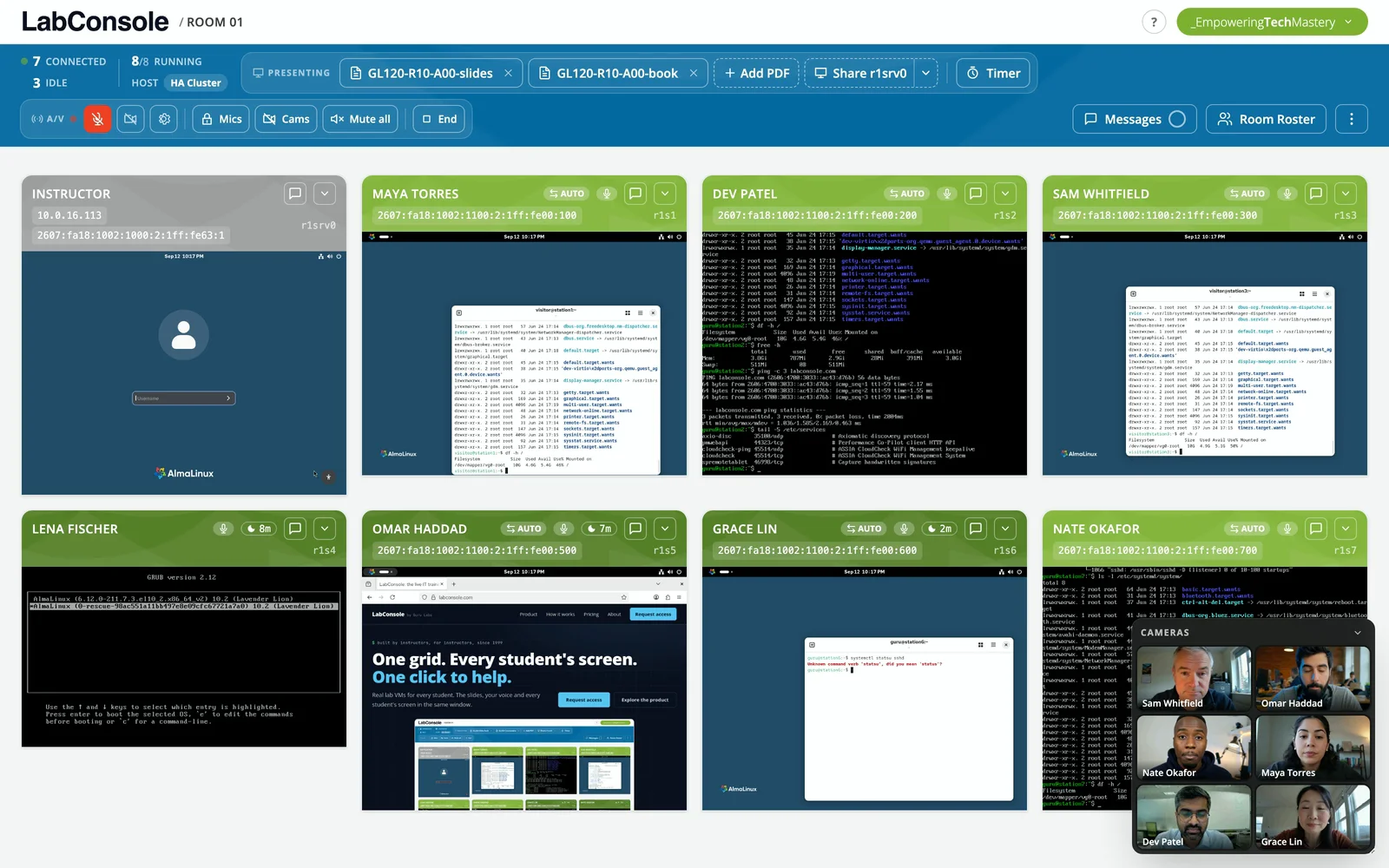
The grid is also where you conduct: broadcast a message, start a countdown timer for the exercise, watch feedback come in, and see at a glance when the room is ready to move on.
- Class-wide chat and per-student messages
- Countdown timers every student sees
- Live "how is the pace?" feedback from the class
$ labconsole grid --demo
Watch your whole class at once
Request access and run a guided pilot with your own course - the grid makes the case in the first ten minutes.